The 'Filter View Order (Summary & Gallery Block retrofit)' plugin provides a powerful filtering capability for Squarespace Summary and Gallery Blocks. Users can show or hide items based on predefined categories, making it easier for them to find content that matches their interests. This plugin is particularly useful for websites with a large amount of content, as it allows users to streamline their browsing experience by focusing only on relevant items. By improving content discoverability and user engagement, this plugin ensures that visitors can quickly and easily access the information they are looking for.
Squarespace Requirement: Business or Commerce Squarespace plan is required for Cx+ to function.
How it works
Join the community with a Cx+ subscription.
Receive instructions by email to access the Cx+ system.
Confirm the Cx+ domains prerequisites to confirm your website.
Add code to your website to enable Cx+.
Enhance and expand your digital presence.
Highlights
Quick and simple installation.
Expand native Squarespace block and page functionality.
Designed exclusively for Squarespace 7.1. These plugins could work on Squarespace 7.0 but this has not been verified.
Item details
Licence: One site use.
Collection: Subscription Service.
Delivery: To ensure a seamless initial setup experience, the Cx+ subscription initial setup email notification is distributed approximately every 5 minutes.
What’s included
Technical requirements
Squarespace (create an account here).
Cx+ requires and initialiser code to be placed within the Header Code Injection within a Squarespace website. Code Injection is a premium feature available in Business and Commerce Squarespace plans. Passive Plugins require Header Code Injection and Block Plugins require Code Blocks. For more information read this Squarespace support, this Squarespace support and this Squarespace support.
Some knowledge and experience with code implementations.
Additional or alternative CSS may be required to refine the look of this plugin for your branding style and website.
Disclaimer
Subscribing to this service does not grant you the right to resell the code or claim author ownership.
Require business integrations or need information? Check out these extensions and articles.
The 'Filter View Order (Summary & Gallery Block retrofit)' plugin provides a powerful filtering capability for Squarespace Summary and Gallery Blocks. Users can show or hide items based on predefined categories, making it easier for them to find content that matches their interests. This plugin is particularly useful for websites with a large amount of content, as it allows users to streamline their browsing experience by focusing only on relevant items. By improving content discoverability and user engagement, this plugin ensures that visitors can quickly and easily access the information they are looking for.
Squarespace Requirement: Business or Commerce Squarespace plan is required for Cx+ to function.
How it works
Join the community with a Cx+ subscription.
Receive instructions by email to access the Cx+ system.
Confirm the Cx+ domains prerequisites to confirm your website.
Add code to your website to enable Cx+.
Enhance and expand your digital presence.
Highlights
Quick and simple installation.
Expand native Squarespace block and page functionality.
Designed exclusively for Squarespace 7.1. These plugins could work on Squarespace 7.0 but this has not been verified.
Item details
Licence: One site use.
Collection: Subscription Service.
Delivery: To ensure a seamless initial setup experience, the Cx+ subscription initial setup email notification is distributed approximately every 5 minutes.
What’s included
Technical requirements
Squarespace (create an account here).
Cx+ requires and initialiser code to be placed within the Header Code Injection within a Squarespace website. Code Injection is a premium feature available in Business and Commerce Squarespace plans. Passive Plugins require Header Code Injection and Block Plugins require Code Blocks. For more information read this Squarespace support, this Squarespace support and this Squarespace support.
Some knowledge and experience with code implementations.
Additional or alternative CSS may be required to refine the look of this plugin for your branding style and website.
Disclaimer
Subscribing to this service does not grant you the right to resell the code or claim author ownership.
Require business integrations or need information? Check out these extensions and articles.

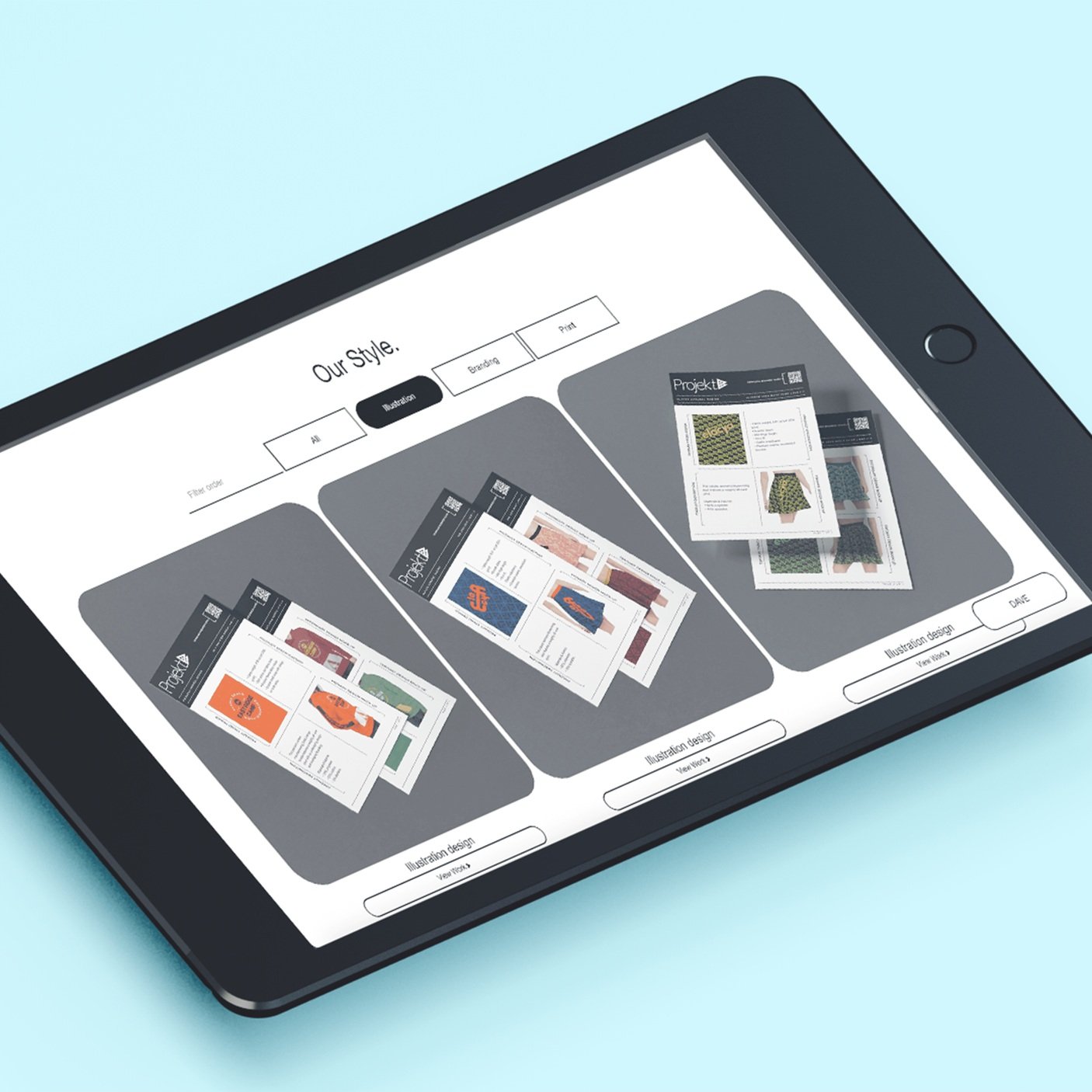 Image 1 of 1
![Bulk Custom Item Text Button (Summary & Gallery Block retrofit) [Cx+ Passive Plugin]](https://images.squarespace-cdn.com/content/v1/61a88563f0b6b7672eec9b7b/955de7f3-98f1-431c-b19a-7659042cfbd9/Bulk+Custom+Item+Text+Button+%28Summary+%26+Gallery+Block+retrofit%29+%5BCx%2B+Passive+Plugin%5D.jpg)
![Desktop and Mobile 2-Tier Dropdown Menu (Native Desktop & Mobile Menu retrofit) [Cx+ Passive Plugin]](https://images.squarespace-cdn.com/content/v1/61a88563f0b6b7672eec9b7b/314e3053-1c05-4754-9ae3-40cdf0351d3d/Desktop+and+Mobile+2-Tier+Dropdown+Menu+%28Native+Desktop+%26+Mobile+Menu+retrofit%29+2024.jpg)
![Store Item Highlight (Store Page Functionality retrofit) [Cx+ Block Plugin]](https://images.squarespace-cdn.com/content/v1/61a88563f0b6b7672eec9b7b/93014138-1245-4ba4-b5a1-d2f3e52b8f0d/25%2BStore%2BItem%2BHighlight%2B%2528Store%2BPage%2BFunctionality%2Bretrofit%2529%2B%255BCx%252B%2BBlock%2BPlugin%255D.jpg)
![Display Related Items Button (Store Page Functionality retrofit) [Cx+ Passive Plugin]](https://images.squarespace-cdn.com/content/v1/61a88563f0b6b7672eec9b7b/27716174-b715-44f7-a1de-4b61e94fbafb/Display+Related+Items+Button+%28Store+Page+Functionality+retrofit%29+%5BCx%2B+Passive+Plugin%5D.jpg)
![Multi-level Breadcrumb Navigation (Store & Article Collection & Page Functionality retrofit) [Cx+ Passive Plugin]](https://images.squarespace-cdn.com/content/v1/61a88563f0b6b7672eec9b7b/c928ea78-d77a-4726-960b-393ad231c31f/27%2BMulti-level%2BBreadcrumb%2BNavigation%2B%2528Store%2B%2526%2BArticle%2BCollection%2B%2526%2BPage%2BFunctionality%2Bretrofit%2529%2B%255BCx%252B%2BPassive%2BPlugin%255D.jpg)